WhatsApp Business
A WhatsApp chat shouldn't live apart from the customer record.
Keep the conversation, the customer and the follow-up together so your team sees the full story.
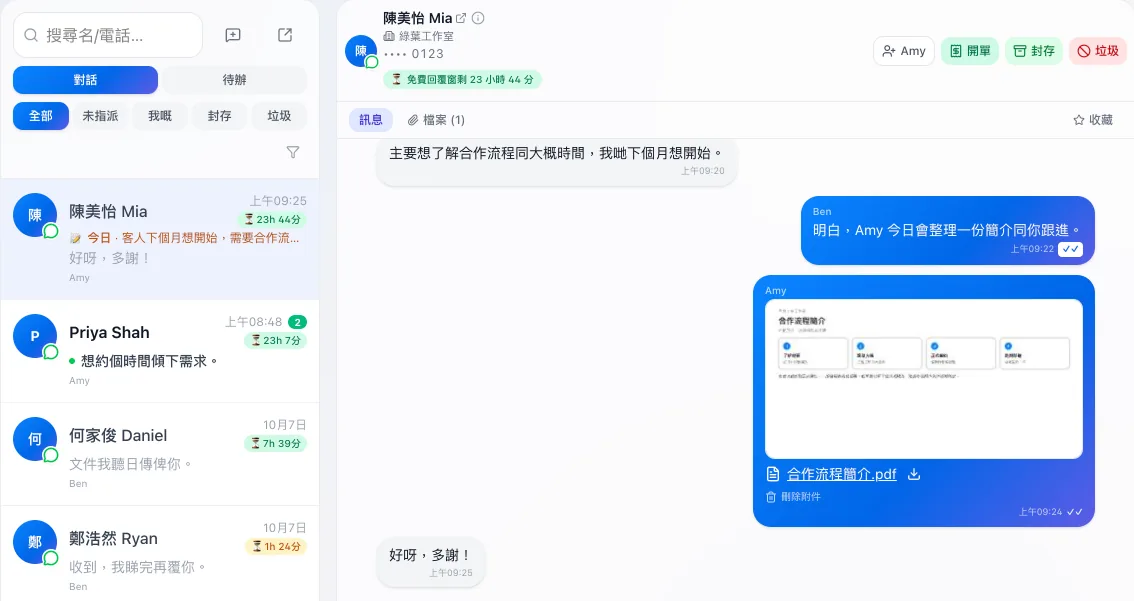
01 Team inbox
Conversations where the whole team can see them.
Who is waiting for a reply and who is handling it should be clear at a glance.
Related capabilities
WhatsApp team inbox
Your team shares one WhatsApp number and handles customer conversations in one inbox.
Conversation assignment
Assign a conversation to a team member.
02 Customer context
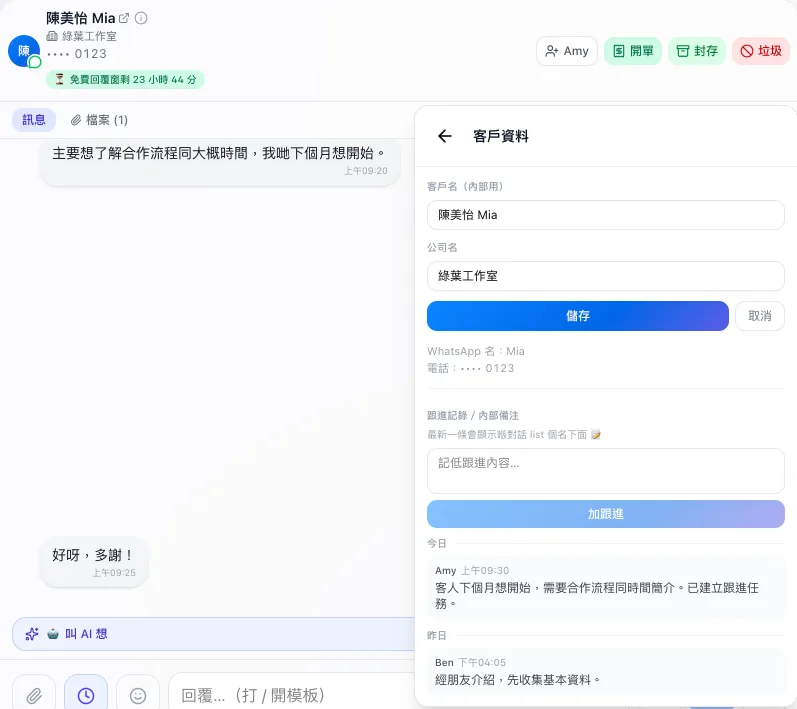
Right beside the chat is the customer.
Contact details, company and earlier notes sit next to the conversation, so nobody has to switch around to find them.
Related capabilities
Customer records
Keep a customer's contact details and follow-up history in one record.
03 Reply
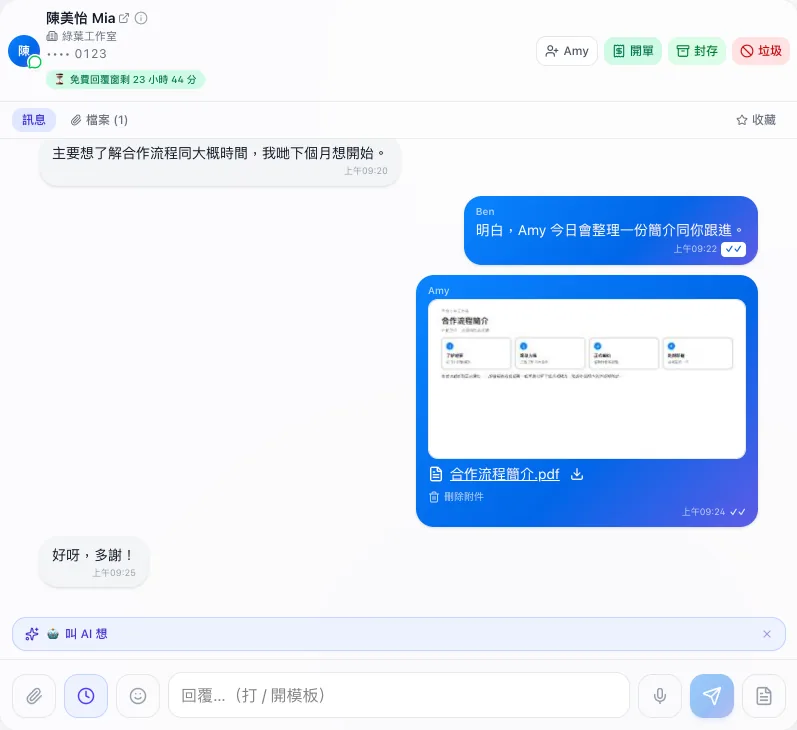
Help your team follow up faster and more consistently.
Common content and files are handled inside the conversation.
Related capabilities
Reply templates
Save common replies as templates.
Attachments
Send and receive images and documents in a conversation.
AI Assistance
AI offers suggestions; a team member confirms before anything is sent.
Start from the WhatsApp you use today.
Start with how you handle customer messages and explore how a shared inbox works.